View and drain your available stock
Your available stock is the certified biomass you hold on the platform. Stock becomes available in two ways:
your Certification Body approves a stock request;
you buy certified biomass and the seller’s transaction certificate is approved.
View your available stock
Go to Stock › Available, or select Available Stock on the dashboard.
Each line shows the reference, the product, the GGL category of biomass, the seller, where the stock came from, the modules it is certified for and the available quantity in metric tonnes. Stock you bought shows the number of the transaction certificate as its reference and source.
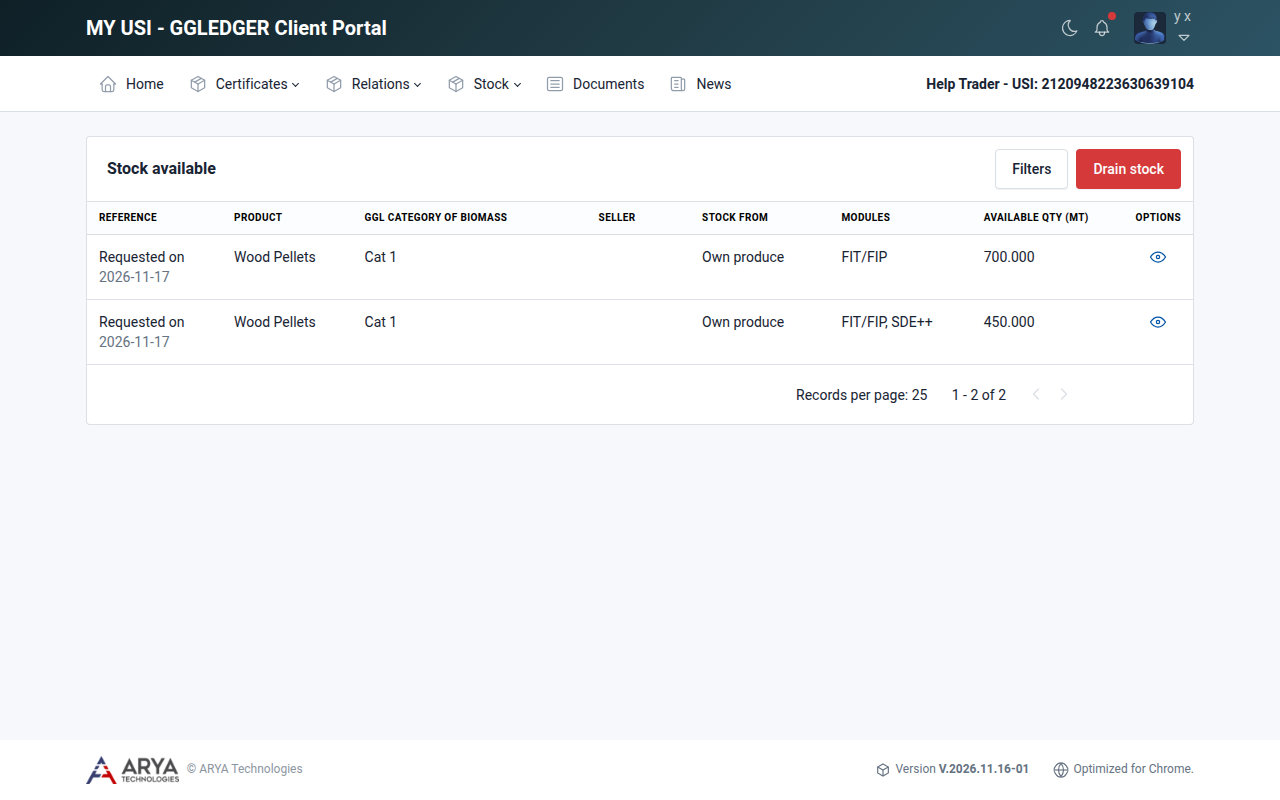
Fig. 21 The available stock list.
Select Filters to filter the list by category, lot or module.
Stock registered before the current version of the platform can still show the old category AR or WB. When you sell such stock, you assign its FIT/FIP classification and, optionally, a new category of biomass in the application; see Stock with category AR or WB.
View the history of a stock line
Select the history icon in the Options column of a line. The stock history shows the properties of the stock and a stock statement: every movement in and out of that line, with the date, the document reference, the lot, the incoming and outgoing quantities and the remaining quantity.
Select Filter to show a period only, and Print to print the statement.
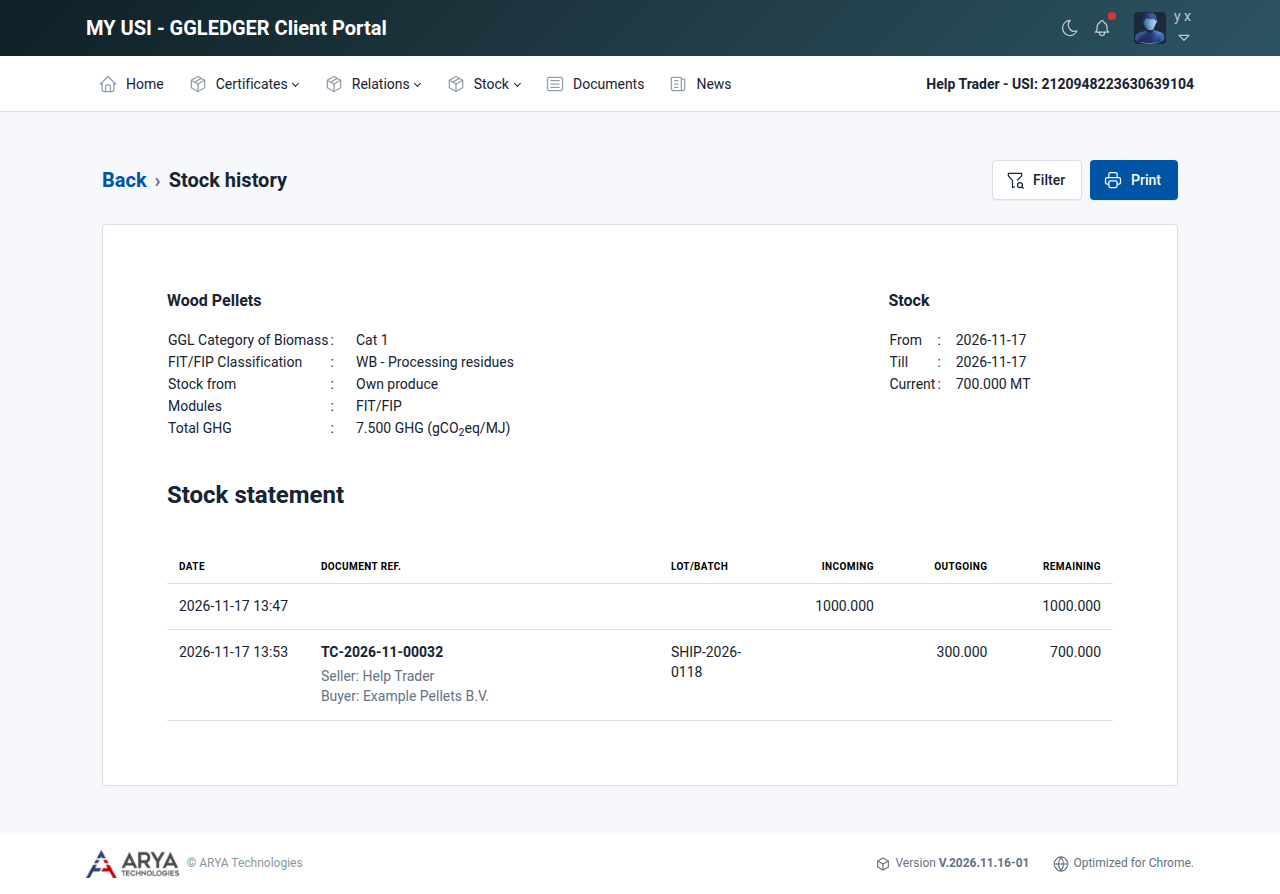
Fig. 22 The stock history of a line of stock.
Drain stock
Draining removes stock from your available stock without selling it to a buyer on the platform. Use it when certified biomass leaves the platform in another way.
To sell stock to a buyer who is on the platform, do not drain it but apply for a transaction certificate.
Go to Stock › Available and select Drain stock.
The page lists your available stock with, for each line, the reference, product, category, scope and available quantity.
On each line you want to drain:
enter the quantity in Depleted (MT); it cannot be more than the available quantity;
choose the Drain type:
Drain type
Use it when
Sold to other scheme
You sold the biomass under another certification scheme.
Sold as non-certified
You sold the biomass without a certification claim.
Self-Consumed
You consumed the biomass yourself, for example to generate energy.
Others
None of the above applies.
if you wish, give a Reason.
Select Save. The stock is drained at once; there is no confirmation step, so check the quantities before you save.
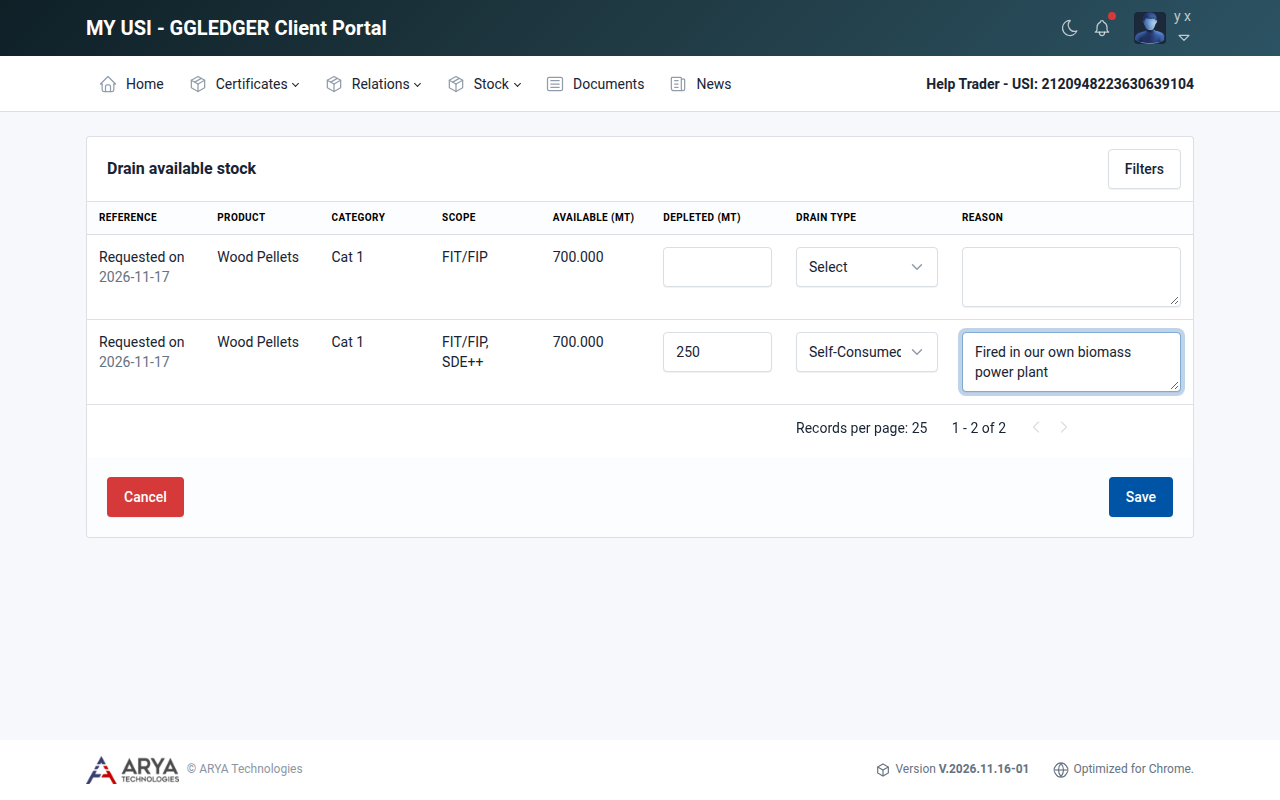
Fig. 23 Draining 250 MT as self-consumed.
Your Certification Body receives an email that you depleted stock. Stock you drained as Self-Consumed is listed under Stock › Self consumed, where you can apply for a product certificate for it.