Manage your suppliers of raw materials
A supplier of raw material is the company your raw material comes from. When you request stock, you state the supplier of raw material for each line. You can choose your own company or one of the suppliers linked to your account, so link your suppliers before you request stock.
Relations › Suppliers of Raw Materials lists the suppliers linked to your account. The same list is available from the dashboard.
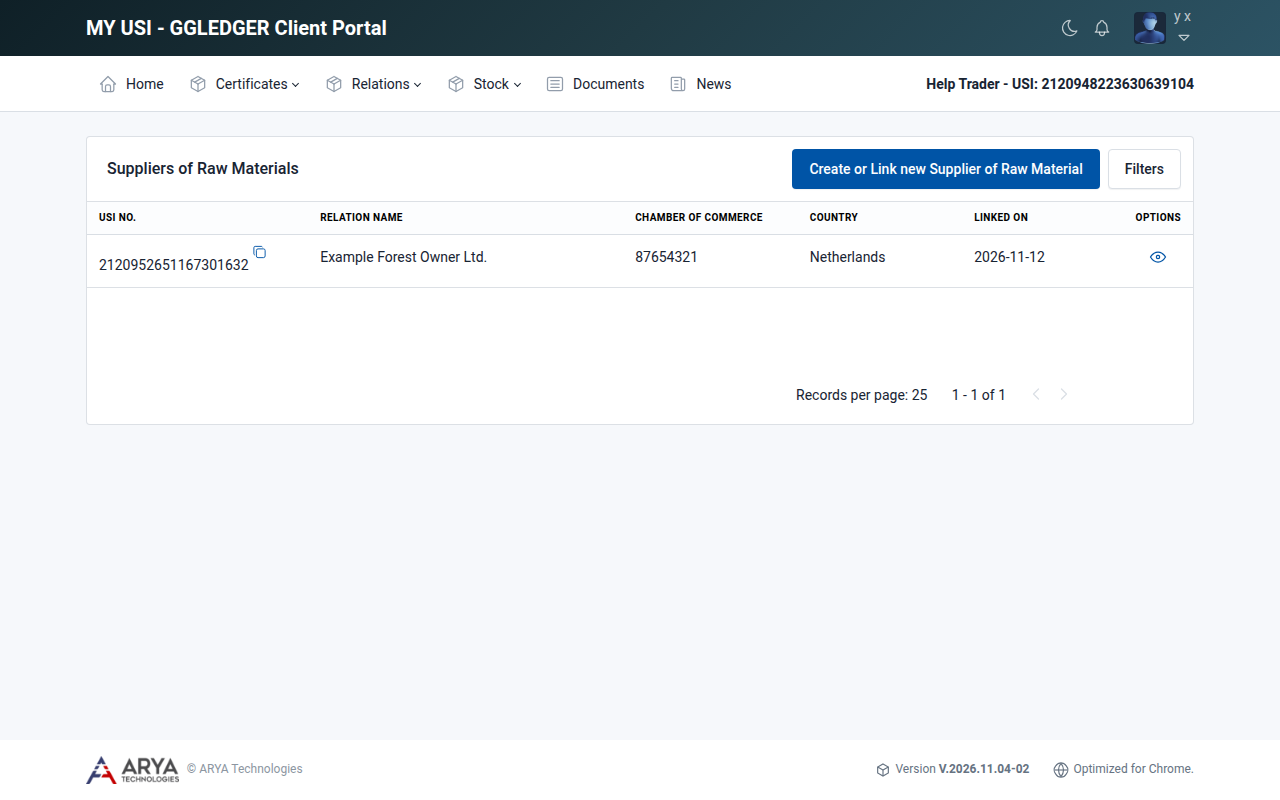
Fig. 14 The list of suppliers of raw materials.
Add a supplier of raw material
Go to Relations › Suppliers of Raw Materials and select Create or Link new Supplier of Raw Material.
At Already USI registered ?, choose:
Yes if the supplier has a USI number. Enter the number, select Search, check the company and select Link.
No if the supplier is not registered yet. Fill in the company, address and contact details, attach the chamber of commerce registration and select Save.
Both ways work exactly as they do for buyers; see Manage your buyers for the details of each step.
View a supplier of raw material
Go to Relations › Suppliers of Raw Materials.
Select the view icon in the Options column.