Manage your documents
Under Documents you keep the documents of your own organisation on the platform, such as your agreement with Green Gold Label and your accreditation details. The documents of a client are on the Documents tab of the client.
Upload a document
Go to Documents and select Upload new documents.
Fill in the form:
Field
What to enter
Title
A name for the document. Required.
Document type
The kind of document, for example Accreditation details per ISO/IEC 17065:2012 by an IAF signatory, Audit or Agreement. Required.
File number
Your own reference for the document.
Issue date
The date the document was issued. Today’s date is filled in for you.
Valid till
The date until which the document is valid, if it expires.
Required document
The file. Required.
Select Upload.
A document can be at most 10 MB. The allowed formats are .pdf, .xlsx, .docx, .png, .jpeg and .jpg.
Find and download a document
Go to Documents.
The list shows the type and issue date of each document. Select Filters to show the documents of one type only.
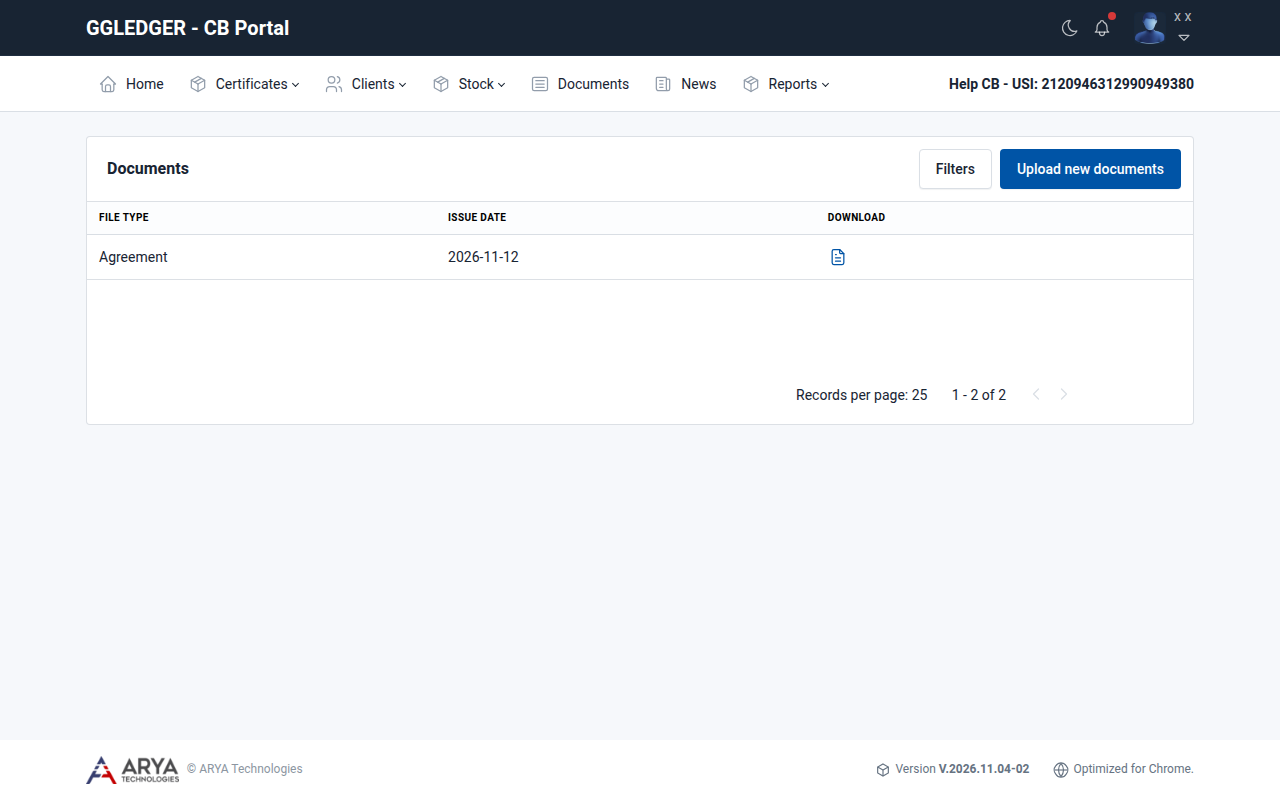
Fig. 31 The documents list.
Select the download icon in the Download column.