View reports
The reports give an overview of the certificates of your clients over a period.
Transaction certificates report
Go to Reports › Transaction certificates.
For each transaction certificate the report shows the TC number, the CB, the USI number and name of the seller and of the buyer, the dispatch and destination, the quantity in metric tonnes, the issue date, the approver, the product, the product category and the module. The number of records is shown above the list.
Product certificates report
Go to Reports › Product certificates.
For each product certificate the report shows the PC number, the USI number and name of the economic operator, the quantity in metric tonnes, the amount of energy produced, the period of production, the issue date, the approver, the product, the product category, the country of dispatch and the modules.
Run a report
A report is empty until you run it.
Select Filters.
Choose the Range: the current month, the last 1, 3 or 6 months, the last year, or Custom to enter a From and Till date yourself.
For the transaction certificates report you can also narrow the report down by USI or Participant name of a participant, and by Module (FIT/FIP, RED II, SDE++ or all modules).
Select Actions and choose the output:
Output
Result
On screen
The report is shown on the page, with the number of records above it.
PDF
The report is downloaded as a PDF file.
Excel
The report is downloaded as an Excel file.
Clear all filters resets the filters.
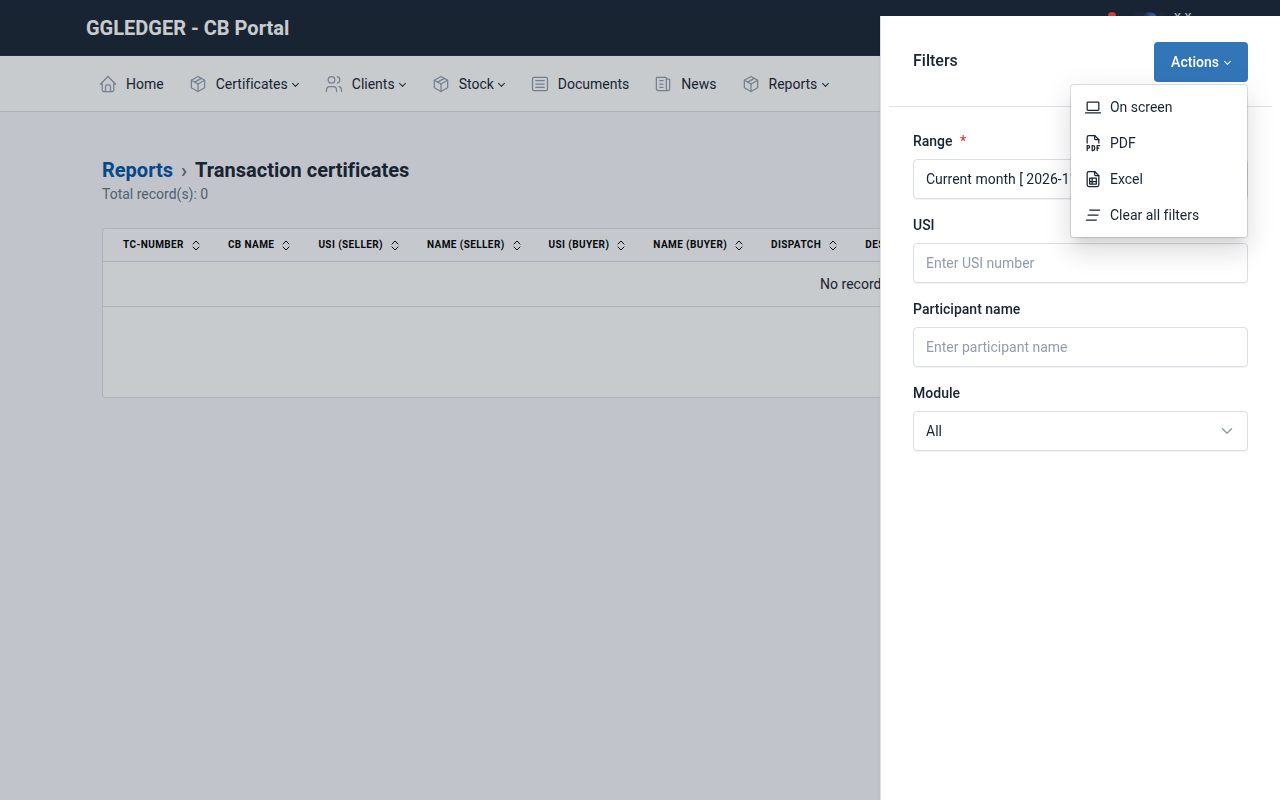
Fig. 29 The filters of the transaction certificates report.
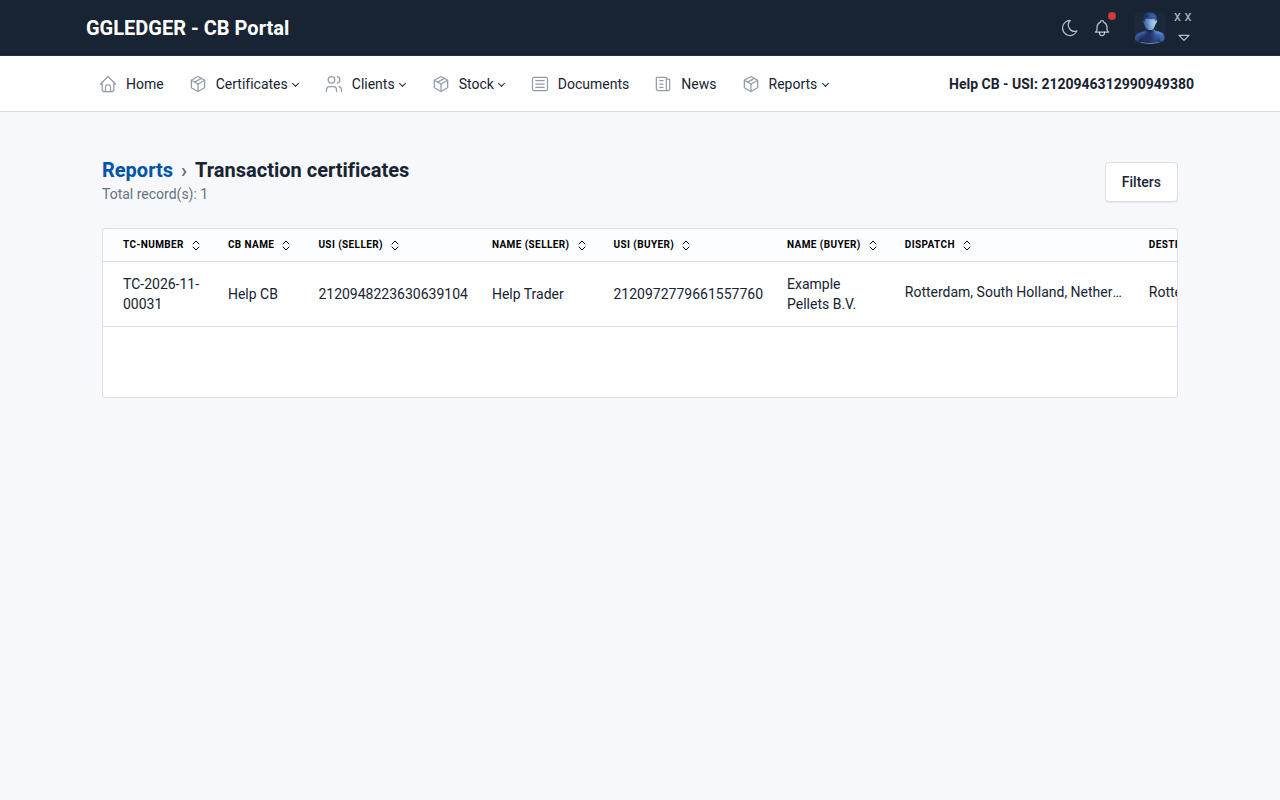
Fig. 30 The transaction certificates report, shown on screen.