Handle product certificates
A client can apply for a product certificate (PC) for certified biomass it consumed itself, for example to generate electricity or heat. You approve or decline the application.
Find the product certificates
Go to Certificates › Product. To see only the applications waiting for your decision, select PC Applications on the dashboard; the number on the tile shows how many there are.
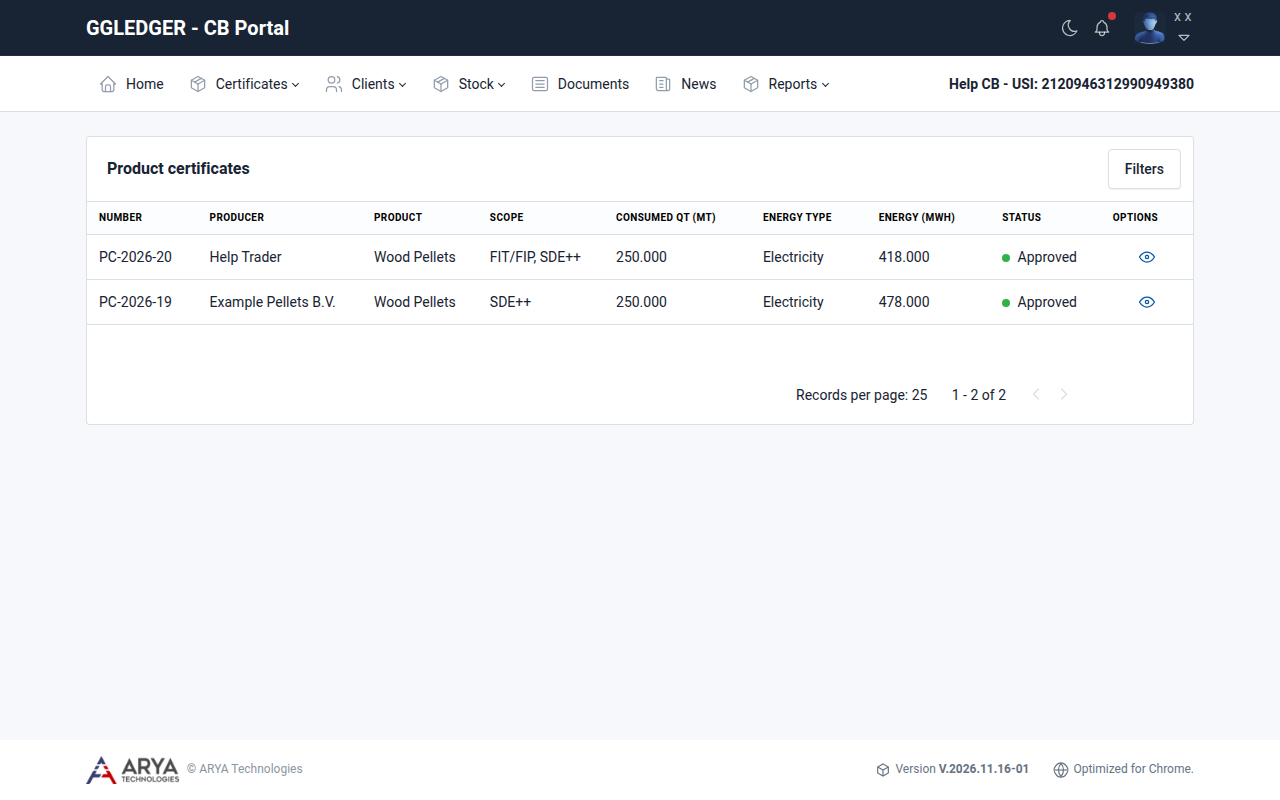
Fig. 27 The product certificates list.
Each line shows the certificate number, the producer, the product, the scope, the consumed quantity in metric tonnes, the energy type, the energy in MWh and the status.
Select Filters to filter the list by product, energy type (Electricity or Heat), producer, status (Applied, Approved or Declined) or module.
Approve or decline a product certificate
Open the application with the view icon in the Options column.
The application is shown as the product certificate will be issued: the scope, the date of audit, the producer, the energy product, the country of dispatch, the shipment details, the GHG emissions, the amount of biomass used with its heating value, the amount of energy produced and the period of production. The supporting documents are listed below it.
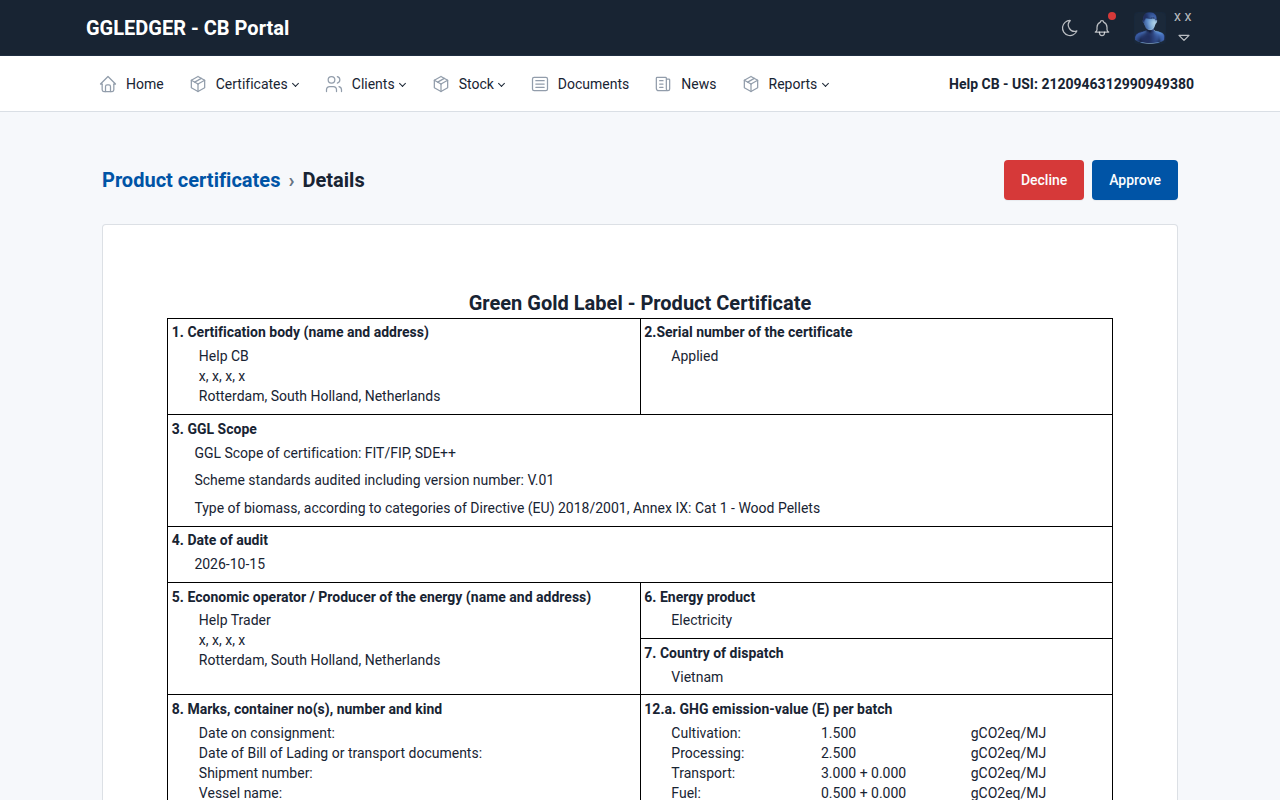
Fig. 28 Reviewing a product certificate application.
To approve, select Approve and confirm with Yes.
The certificate gets a PC number and the status Approved. The producer receives an email that the application has been approved. Select Download PC to download the certificate.
To decline, select Decline, give the reason, and confirm with Yes.
Warning
Approving and declining cannot be undone.