Change your settings
Select your name in the top right corner and choose Settings.
Set your time zone
In Settings, select Time zone.
Choose your time zone from the list. The list is ordered by country.
Select Save.
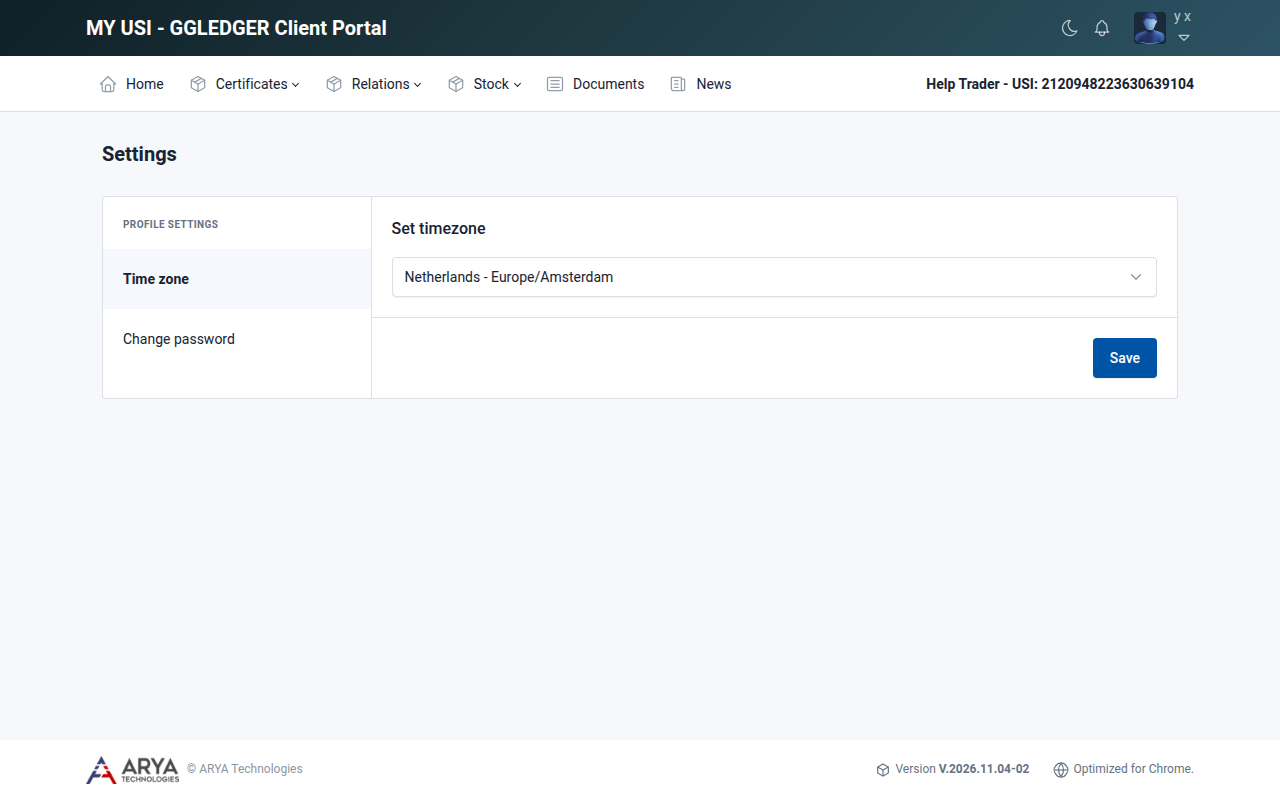
Fig. 4 The settings page.
Change your password
In Settings, select Change password.
Enter your old password and your new password.
Select Submit.
A password must:
be 12 to 18 characters long;
contain at least one lowercase letter;
contain at least one uppercase letter;
contain at least one number;
contain at least one special character.
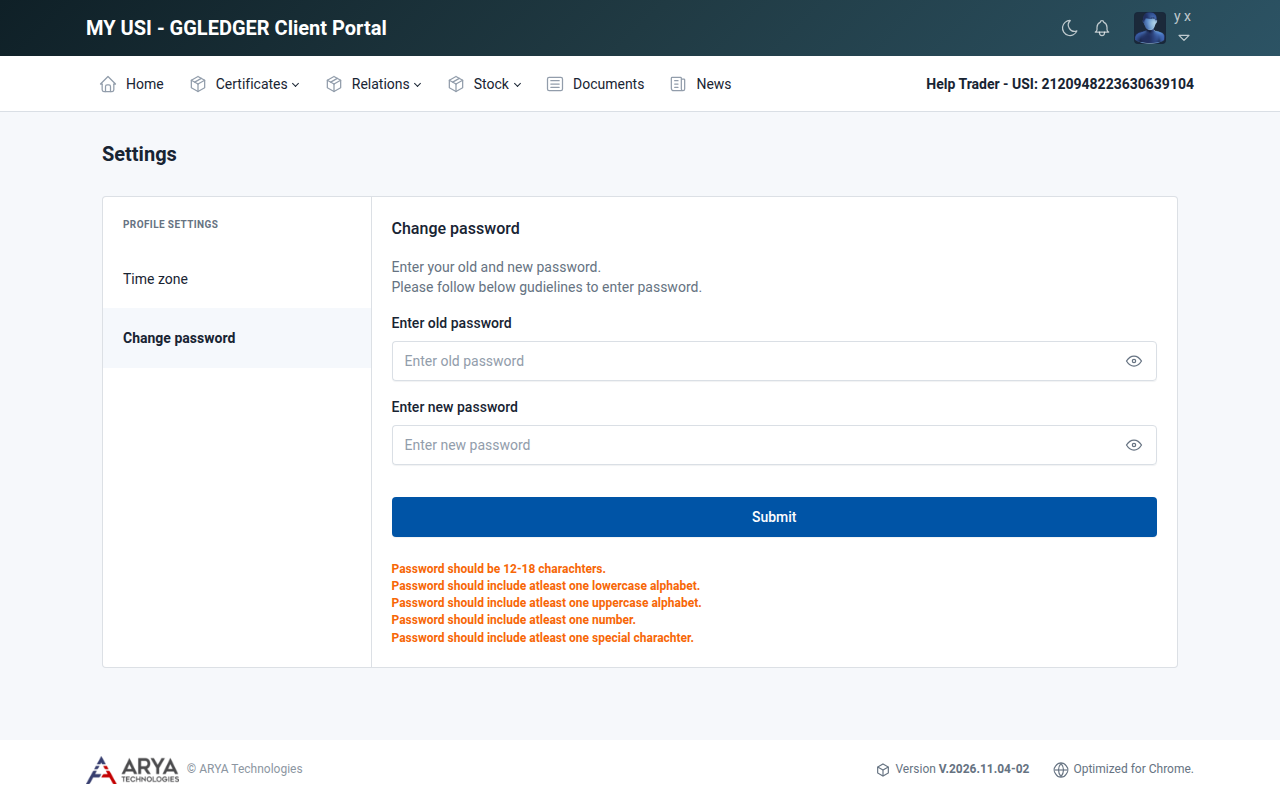
Fig. 5 Changing your password.
If you no longer know your password, see Reset a forgotten password.